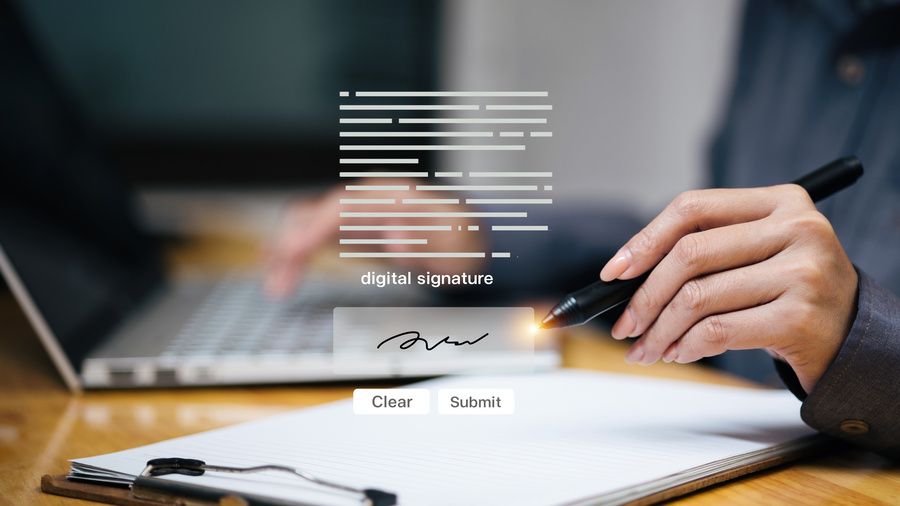
Signing paper documents, scanning them, and sending them is a waste of time in 2025.
Digital signatures on PDFs are faster, more secure, and completely legal in most jurisdictions. The problem is that many people do not know how to do it correctly or confuse digital signatures with simple electronic signatures.
There are different levels of digital signatures with different legal validity. A signature drawn with a mouse on a PDF does not have the same legal weight as a signature with a digital certificate. Understanding the differences and knowing which method to use in each situation is important so that your signed documents have the value you need.
Electronic signature vs certified digital signature
A simple electronic signature is any mark you put on an electronic document to indicate your agreement. It can be an image of your scanned signature, your name written digitally, or even a check mark. It is valid for many situations but easy to challenge if there is a dispute.
A certified digital signature uses cryptography and digital certificates issued by recognised authorities. It guarantees that the document has not been modified after signing and that the signer is who they say they are. It has greater legal validity and is required for official documents in many countries.
For internal documents, simple contracts, or low-risk agreements, a simple electronic signature is usually sufficient. For important legal documents, contracts with significant economic value, or official documents with public administrations, you need a certified digital signature
Free methods for simple signatures
Adobe Acrobat Reader, the free version, allows you to add simple signatures to PDFs. You can draw your signature with your mouse or trackpad, upload an image of your scanned signature, or use your webcam to capture your signature on paper. The programme places that image in the document where you need it.
The process is simple: open the PDF, select the signature tool (Fill & Sign), create or upload your signature, and place it where it belongs. You can also add initials, text, or check marks. Save the document and it's ready to send.
This signature does not have cryptographic certification. It is basically pasting an image of your signature into the document. For many professional contexts, this is sufficient: approving budgets, confirming receipts, authorising internal actions.
Online services such as DocuSign, HelloSign, and SignNow offer simple electronic signatures in their free plans. You upload the document, add your signature, and send it. The recipient also signs digitally. Everything is recorded with timestamps and basic traceability.
Preview on Mac for quick signatures
Mac users can sign PDFs directly from Preview without additional software. Preview allows you to create your signature using the trackpad or Mac camera. Sign on a white piece of paper, the camera captures it, and Preview automatically cleans and digitises it.
Once created, your signature is saved and you can use it in any PDF by simply dragging it into the document. It is convenient and quick for routine signatures. Like the Adobe Reader method, it is a simple signature without cryptographic certification.
Legally valid certified digital signature
For a truly certified signature, you need a digital certificate issued by a recognised certification authority. In the UK, for example, the FNMT, Camerfirma or certified private companies issue these certificates. Other countries have their own authorities.
The certificate can come in the form of a physical card (electronic ID), a cryptographic USB device, or a password-protected digital file. This certificate uniquely identifies the signer.
Adobe Acrobat Pro (the paid version) allows you to use these certificates to sign PDFs with an advanced digital signature. Select ‘Certificates’ in the signature tools, choose your digital certificate, enter the protection PIN, and sign the document. The signature includes cryptographic information that validates your identity and detects any subsequent modifications.
Documents signed in this way can be verified. Anyone with Adobe Reader can see that the document is digitally signed, who signed it, and that it has not been altered since. This verification is what gives it strong legal validity.
Professional signing platforms
DocuSign, Adobe Sign, HelloSign, SignRequest, and other platforms offer complete electronic signature solutions with different levels of certification depending on the plan. The payment plans include signatures with enhanced legal validity, full traceability, and integration with business systems.
These platforms manage the entire flow: you upload the document, define who should sign it and in what order, the system sends notifications, each person signs, and everyone receives the final signed document. Everything is recorded with a full audit trail.
For companies that handle many documents requiring multiple signatures, these platforms justify their cost in time saved and error reduction. A contract that used to take days to be signed by all parties can now be completed in hours.
Signing interactive PDF forms
Many PDF forms include specific signature fields designed to be signed electronically. These forms usually work with any modern PDF reader. Simply click on the signature field and the programme will guide you through adding your signature.
Filling out PDF forms that include signature fields is simpler than adding signatures to generic documents because the form is already set up for it. The fields are positioned correctly and often include validation.
Signing with mobile devices
Most mobile PDF apps allow you to sign documents. Adobe Acrobat Reader for iOS and Android has signature functionality. You can use your finger or a stylus to sign directly on the screen of your mobile phone or tablet.
This is especially handy when you need to sign something urgently and you're not in front of a computer. The client sends a contract by email, you open it on your mobile phone, sign with your finger, and send it back. All in minutes from anywhere.
Signing with your finger on a touchscreen usually looks more natural than trying to sign with a mouse on a computer. Tablets with styluses offer the best experience, practically identical to signing on paper.
Multiple signatures on one document
When a document requires signatures from several people, the process can become complicated. The most organised way is to use specialised platforms that manage the flow: the document is passed sequentially to each signer, everyone receives notifications, and the system ensures that each signature is added in the correct place.
Without these platforms, the manual method involves one person signing, saving, sending to the next person, who signs and sends to the next. It works, but it is prone to errors: someone
saves the wrong version, signatures are placed over previous ones, the final version does not include all signatures.
If you regularly handle documents with multiple signatures, investing in a professional platform or at least a basic plan from DocuSign or similar is worthwhile.
Legal validity of digital signatures
Legal validity varies by jurisdiction. In the European Union, the eIDAS Regulation
establishes three levels of electronic signatures: simple, advanced, and qualified. Each level has different technical requirements and legal validity.
In the United States, the ESIGN Act and UETA recognise electronic signatures as
legally binding in most contexts, with some specific exceptions.
For truly important documents (wills, real estate documents, certain specific contracts), many jurisdictions still require a physical signature on paper or a qualified digital signature with very specific requirements. Check local legal requirements for your use cases.
Signing protected documents
Some PDFs come with restrictions that prevent adding content, including signatures. If
you need to sign such a document, you must first remove the restrictions if you have
permission to do so. Or ask the document creator to send you a version without restrictions or with signature permissions enabled.
Well-designed PDF forms allow signing even if the rest of the document is protected against editing. Specific signature fields work without the need to unprotect the entire document.
Keep a copy of signed documents
Always keep a copy of documents that you sign digitally. If you use signature platforms, they usually archive copies automatically, but download your own copy as well. The signed document is your evidence of the agreement.
If you signed with a digital certificate, the signature has a limited validity period based on the validity of the certificate. Some systems add timestamps from time authorities that extend the validity of the signature beyond the expiry of the certificate. This is technical but important for long-term documents.
Verify signatures from others
When you receive a digitally signed document, you should verify the signature before trusting it. Adobe Reader displays signature information automatically. You can see who signed, when, and whether the document has been modified since.
Certified signatures display a green check if they are valid and the document is intact. Problematic signatures or documents modified after signing display warnings. Do not ignore these warnings.
Signing without Adobe
Although Adobe is the best-known software, it is not the only one. Foxit Reader, PDF-XChange Editor, and many other PDF readers offer signing functionality. Modern browsers also have basic built-in signing capabilities.
On Linux, tools such as Xournal++ allow you to add signatures to PDFs. They are not as polished as commercial options, but they work for basic needs.
Signing PDFs digitally is easier and more secure than ever. For routine documents, simple free methods are sufficient. For important contracts or official documents, invest in an appropriate certified digital signature. The era of printing, signing, scanning, and sending is obsolete. Upgrade to digital signatures and save time while improving the security of your documents.
Sign a PDF
Upload a document